
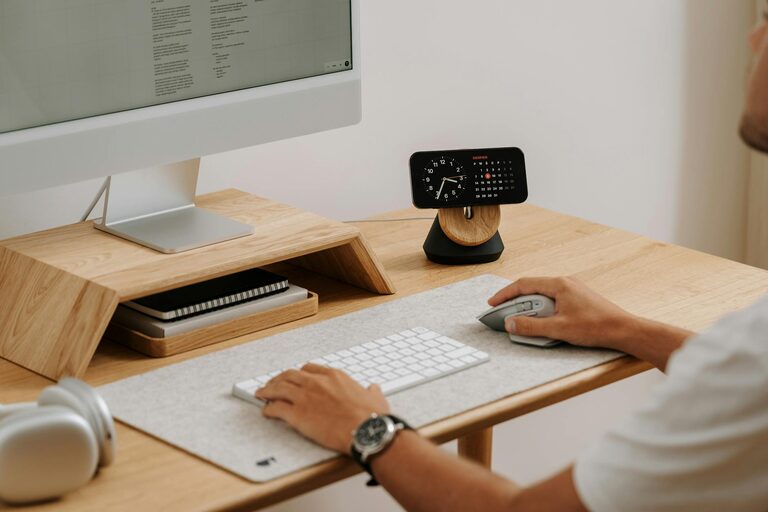
Creating a home office that feels cozy and helps you stay productive can transform your work-from-home experience. Whether you’re new to remote work or want to improve your current setup, a few thoughtful changes can make all the difference. Here are simple tips to help you design a space where you feel inspired, comfortable, and efficient.
Choose the Right Location
Finding the perfect spot in your home is the first step. Ideally, select a place with plenty of natural light and minimal distractions.
– Near a Window: Natural light improves mood and focus, so try to set up your desk close to a window.
– Quiet Area: If possible, pick a low-traffic area to reduce noise and interruptions.
– Dedicated Workspace: Even a small corner is better than working on the couch or dining table. This helps your brain associate the space with work.
Invest in a Comfortable Chair and Desk
Comfort is key to staying productive. Spending hours in an uncomfortable chair or at an unsuitable desk can cause fatigue and strain.
– Ergonomic Chair: Opt for a chair with good lumbar support and adjustability. Your feet should rest flat on the floor, and your arms should be comfortable on the desk.
– Desk Height: Your desk should allow your elbows to be at a 90-degree angle when typing. Adjustable desks or standing desk converters can add flexibility.
– Keep Essentials Handy: Place frequently used items within reach to maintain a smooth workflow.
Organize and Declutter
A clutter-free environment reduces stress and helps focus attention.
– Use Storage Solutions: Shelves, drawers, and boxes keep papers and supplies organized.
– Keep Your Desk Clear: Limit items on your desk to daily essentials only.
– Digital Declutter: Organize your computer files and clear your desktop regularly to reduce distraction.
Bring in Personal Touches
Adding personal elements makes the space inviting and uniquely yours.
– Decorate with Plants: Small indoor plants improve air quality and add warmth.
– Artwork and Photos: Hang or place inspiring art or family photos to brighten your mood.
– Colour Palette: Choose calming and uplifting colours like soft blues, greens, or neutrals.
Improve Lighting
Good lighting helps prevent eye strain and keeps you alert.
– Natural Light First: Maximize daylight but avoid glare on screens by adjusting blinds or curtains.
– Task Lighting: Add a desk lamp with adjustable brightness to focus light where you need it.
– Ambient Lighting: Soft overhead or floor lamps create a pleasant atmosphere.
Manage Cables and Tech
Taming cable clutter and ensuring your technology is well set up will create a smoother workday.
– Cable Organizers: Use clips, ties, or sleeves to keep wires tidy.
– Reliable Internet: Ensure your Wi-Fi connection is stable; consider a wired connection for better speed.
– Quality Equipment: Invest in a good keyboard, mouse, and monitor to increase comfort and efficiency.
Establish a Routine and Boundaries
Your home office should help you separate work from personal life.
– Set Working Hours: Define when your workday starts and ends, just like in a traditional office.
– Take Breaks: Short, regular breaks prevent burnout and keep your mind fresh.
– Limit Distractions: Inform family members or roommates of your schedule to minimize interruptions.
Add Comfort and Wellness Tips
Comfort goes beyond furniture—small touches can enhance wellbeing.
– Temperature Control: Keep the room at a comfortable temperature; use a fan or heater as needed.
– Hydration and Snacks: Keep water and healthy snacks nearby to stay energized.
– Movement: Incorporate stretches or short walks into your breaks to avoid stiffness.
Final Thoughts
Creating a cozy and productive home office doesn’t have to be complicated. With a bit of planning and attention to comfort, organisation, and personal style, you can build a work area that supports your best work. Remember, the goal is to make a space that motivates you to focus while feeling welcoming and relaxing. Start with these simple tips and adjust your setup to what feels best for you. Happy working!